12/12
Interviewed users checked high-stakes AI answers
Teams inherit piles of hundreds of files, then have to answer important questions using nothing but keyword search and memory. Regular AI made this worse, not better — it sounds confident, but you can't verify it exactly when it matters most. AIDEX flips that trade: it's fine being a little slower, as long as every answer can be checked.
This wasn't a guess — it came from actually watching people work: 12 people interviewed across three different jobs, 5 watched at their real desks, 14 samples of their actual work, about 420 things they said or did, all written down. Every number on this page is real or clearly labeled as a guess — that rule is what shaped the whole product.
people double-check the AI's answer by hand whenever the stakes are high — true for every single person interviewed
Finding · from interviews · a strong pattern
said one made-up citation was enough to make them stop trusting the tool — permanently, for the whole team
Finding · from real incidents · a strong pattern
separate people showed us a homemade spreadsheet they'd built just to track their documents — everyone does this before they ask anything
Finding · seen firsthand · confirmed
individual things people said or did, written down during interviews and observation, sorted into 8 recurring patterns
"If I have to find the clause anyway to check it, the AI saved me nothing. It just made me do the search twice."
— P7 · compliance operations · discovery interview
Interviewed users checked high-stakes AI answers
Abandoned after one made-up citation
Homemade spreadsheets shown in research
Due diligence, an audit, taking over a vendor relationship, a handover from someone who just quit — that's the one moment document pain actually has a deadline, a budget, and one person responsible for it. AIDEX starts there, on purpose, instead of trying to be a tool for everything at once.
How AIDEX stacks up against the alternatives (best guess, not measured yet) What matters Best competitor AIDEX's goal Can you check the answer? Other AI tools · Handles a big pile of files well Search tools · Remembers what your team taught it Other AI tools · How fast you see value Generic AI (ChatGPT etc.) ·
Being honest about it: plain ChatGPT-style tools still win on "fastest to try" — AIDEX isn't chasing that. Nobody else combines checkable answers + handling messy piles + actually remembering corrections . That combination is the whole bet.
Not "answers given." Answers that passed the check and nobody had to correct later — because that's the only number that proves every part of the system actually worked.
And it never travels alone: it's always shown next to how often citations were actually correct . If that second number drops while the first climbs, something's wrong — you'd see it immediately, not months later.
A GOAL, NOT YET MEASURED IN THE REAL WORLD
A specific painful moment has a deadline and one person who owns fixing it. A general "AI workspace" has neither — nobody's in a hurry to adopt it. If this doesn't hold up in real pilots, that's the plan to revisit — written down now, not excused away later.
A GUESS — WRITTEN DOWN SO IT CAN BE PROVEN WRONG
Every single thing people said or did got written down and grouped into patterns — and each pattern was labeled honestly: Confirmed (I watched it happen), Likely (strong signal, not 100% proven), Guess , or Expected but untested . Four patterns ended up shaping the actual design.
12 people interviewed 5 watched at their real desks 14 real work samples reviewed ~420 things said or done, logged 8 patterns found 15 claims tracked, each labeled
PATTERN 1 · 11 OF 12 PEOPLE · STRONG
The first three days of any new pile of documents: someone quietly builds a spreadsheet just about the documents — nine people showed us theirs. The map AIDEX builds automatically replaces that habit.
PATTERN 2 · 10 OF 12 PEOPLE · STRONG
"I read the contracts. I skim the decks. I pray about the appendices." What gets attention is what's riskiest if it's wrong — so AIDEX sorts documents by risk, not by topic.
"The rate table IS the contract. The prose is decoration." Pasting a document into a plain chat box flattens tables into mush — exactly the part that mattered most.
"My review is me redoing her citations. Two hours, every memo." People double-check by hand because there's no way to trace where a claim actually came from.
These three people aren't real individuals — they're realistic composites built by blending patterns across the 12 people actually interviewed, labeled Likely, not literal so nobody mistakes them for real research subjects.
Research Lead at a consulting firm · built from 4 real interviews
"We have a process. The process is me."
Her day-to-day
Juggles 2–3 client projects at once, each one starting with a huge folder of someone else's files
Stays up till 11pm double-checking her team's sources by hand
What would win her over — or lose her instantly
Wins her: the first time checking a memo takes 15 minutes instead of 2 hours
Loses her: just one citation that turns out to be wrong. That's all it takes.
◎ What's at stake for her: client trust — one wrong number can end a relationship
Compliance Manager at a fintech company · built from 4 real interviews
"Show me where it says that." — his catchphrase became the product's core feature
His day-to-day
60–90 new documents land on his desk every month, more during an audit
Keeps his own master spreadsheet of every obligation — because a spreadsheet doesn't silently change on him
What would win him over — or lose him instantly
Wins him: an audit question answered in minutes, with proof he can download and hand over
Loses him: an answer that quietly skipped a whole folder of documents without saying so
◎ What's at stake for him: regulators — small errors turn into official findings
Knowledge Ops Lead at a product company · built from 4 real interviews
"The company forgets faster than I can write things down."
Her day-to-day
She's basically the company's memory, in human form; already gave up on two other AI tools once their quality slipped
Will patiently teach a tool a correction — exactly once
What would win her over — or lose her instantly
Wins her: a correction she made two weeks ago shows up again, applied correctly, with her name on it
Loses her: having to teach the same fix twice. "I'll train it once. I won't ask again."
◎ What's at stake for her: her own credibility, and whether the team's knowledge survives her leaving
Sixteen decisions are written down in a public log — each one paired with the option that got rejected, and why. Five of them shaped the product the most. Most case studies only show you the choice that won; this one keeps the ones that lost, too.
Best guess, not yet proven People will accept being told "no, I can't verify this" instead of just going back to a regular AI tool that always gives an answer. The target: at least 7 in 10 people accept the block in real testing. If most people don't, this whole approach gets revisited — that's decided now, not excused away later.
TRACKED CLAIM · WATCHED CLOSELY GOING FORWARD
Decision · Keep two separate kinds of writing
Mixing the two is how case studies end up written for nobody in particular.
A bigger, harder problem makes a stronger proof of the same skills — and the honesty-first approach carries over just fine to higher-stakes work.
Two roles at every stage — one that does the work, one that checks it and can block it. That rule never got cut, no matter how much else changed.
"Built using this process, and runs on this process" is a stronger point made once than the same point made twice, separately.
The story ends exactly where you can click a button and try the real thing — not a screenshot pretending to be one.
Every real decision costs you something else. Here are the three biggest tradeoffs — each one made on purpose, with the cost written down plainly.
Making the AI pause and double-check itself before answering
The instant, always-confident feel of a regular chatbot
WHY · People already told us the real pain is redoing the AI's work by hand afterward. A confident-but-wrong answer costs more time than a slightly slower, checkable one.
Building for one specific painful moment — inheriting someone else's messy files
Being a broad, do-everything "AI workspace"
WHY · A specific painful moment has a deadline and a person who owns it. A general-purpose tool has neither, so nobody's in a rush to actually use it.
Twelve small AI specialists, each doing one job well
One general AI assistant — simpler to build and easier to explain
WHY · A specialist can be genuinely confident about one narrow thing. A generalist sounds confident about everything and is right about less of it.
I call it SIGNAL — six steps, done in order, every time. Each step pairs something AI is fast at with a decision only a human should make. Open The SIGNAL Process panel to explore the inputs, outputs, AI helpers, and quality checks for each step.
The usual way this gets built: 12 weeks → Following these 6 steps: 3.5 weeks 3.4× faster · nothing skipped, same rigor
"The process isn't the product — it's how the product got made. Every step got faster without getting shallower. AI didn't replace my judgment here; it just let me use it more often, faster."
Problem discovery / research
Turn a vague problem into something specific, backed by real evidence — not a hunch.
Every decision that comes after this one depends on how good this first step was. Skip it, and you end up building a great answer to the wrong question.
Raw problem statement
Competitor landscape
Interview transcripts + walkthrough notes
Work artifacts (the shadow spreadsheets)
Structure the problem space with Claude — hypotheses before questions
Mine competitors, reviews, and communities with Perplexity
Synthesize interviews and artifacts in NotebookLM, evidence-linked
Cluster ~420 observations into 8 findings, each ledger-labeled
Problem Brief
Evidence Map (C1–C15)
Competitor Snapshot
Pain Cluster Board
Risk & Assumption Log
No finding counts unless it's labeled honestly, with a clear way to double-check it later. The one finding true for every single person interviewed (12 out of 12) still had to survive someone actively trying to prove it wrong.
Define / product strategy
Turn the research into one clear plan: who this is for, where to start, what success looks like, and what to leave out for now.
Research that never leads to a real decision is just trivia. This is the step where other options get ruled out on paper, not just in someone's head — that's literally what the decision log is.
Evidence ledger + findings F1–F8
Competitive benchmark
Segment composites (Maya, Daniel, Sofia)
Define ICP, jobs-to-be-done, and the inherited-corpus wedge
Set NSM = Accepted Verified Outputs, paired with citation integrity
Draw the AI behavior model: automate, suggest, explain, or escalate
Map trust, permission, and failure-state rules before any screens
Product Strategy Brief
ICP + JTBD Map
MVP Scope
Trust & Autonomy Matrix
Success Metrics (AVO + counter-metric)
Every big bet has to come with a number that would prove it wrong: the starting point needs at least 40% of pilot users to stick around, and the block-and-check approach needs at least 70% of people to accept it. No such number, no green light.
Ideation / solution design
Come up with several very different ideas, then deliberately try to break the best one until only one clean, simple design survives.
Your first idea is rarely the right one. Generating lots of cheap ideas with AI, then having AI attack the strongest one, is how "just build a document chatbot" turned into twelve specialized AI helpers and six simple actions.
Strategy brief + MVP scope
Trust & autonomy matrix
Persona switch/eject moments
Generate 3 concept directions with tradeoffs and rationale
Design the six-verb grammar and the six-slot utterance shape
Map agent flows: matter/meta pairs per phase, handoff protocol
Stress-test with AI critique: edge cases, abuse cases, failure modes
3 Concept Directions
Core User Flows
AI Conversation Model
UI Direction Board
Edge Case Map
An idea only survives if a dedicated "attack" AI can't find a way to break someone's trust in it. One attack it found — a real quote used to back up a false claim — became the seventh and final check the Auditor still runs today.
Design / prototype
Turn the plan into something people can actually click and use — not a fake click-through mockup.
A regular design mockup can't show what it actually feels like to be told "I'm not sure" by an app, or to have it remember something you taught it yesterday. When AI can build the real thing, the real thing is a better design tool than a mockup of it.
Interaction grammar + agent flows
Design tokens (type, color, motion)
Four-view information architecture
Build the four views — MAP, SESSIONS, ARTIFACTS, MEMORY — as live surfaces
Wire the six verbs to real state: ask, trace, approve, refine, teach
Design both themes as intentional palettes, not inversions
AI review pass: hierarchy, copy clarity, contrast, responsiveness
Interactive Prototype
AI Prompt Library v1
Responsive Screen Set
Design System Seed
Usability Notes
Every screen has to pass one test: can a brand-new person ask a question, check its source, and approve the answer — with zero instructions? If an action needs a tooltip to make sense, it's the wrong action.
Build / deploy
Actually build the real product — the logic, the memory, all of it — and put it on a live link anyone can open.
A case study that ends with screenshots is just asking you to trust it. A working link earns that trust instead. This step exists so the story doesn't end with a picture — it ends with a button you can actually press.
Prototype + design system seed
Agent constitution + 12 specs
Performance budget + QA checklist
Build the client-side truth engine: corpus, verbs, seven-check Auditor
Implement persistence, upload, export with frozen evidence trails
Run the quality loop: review, fix, re-verify — until nothing meaningful remains
Deploy; verify the live URL renders, interacts, and persists
Working Product
Public Repo
Live URL
Release Notes
Frozen evidence trail on every export
The same rule the app enforces on its answers got applied to building the app itself: nothing broken ships. No errors, every action tested by hand, checked in light mode, dark mode, and on phone/tablet/desktop — only then does it go live.
Testing / optimization
Turn how people actually use it into real improvements — better thresholds, better instructions to the AI, a better product overall.
Every team eventually gets access to better AI models — that's not a real edge. What's hard to copy is a system that remembers your specific team's corrections over time. That feedback loop is the real advantage — and the only honest source of the numbers this page refuses to just make up.
Session telemetry (planned)
Block-acceptance + correction events
Pilot feedback
AI-assisted QA: broken flows, contrast, performance, failure states
Instrument AVO with citation integrity charted beside it, by law
Summarize sessions and corrections into taught, attributed memory
Convert learning into experiments, prompt revisions, weekly updates
QA Report
Behavior Dashboard
Agent Quality Scores
Experiment Backlog
Iteration Roadmap
The rule that never gets broken: the main success number never gets shown without also showing how often citations were actually correct, right beside it. A dashboard that can't quietly hide bad news was a hard requirement, not a nice-to-have.
No tool was used just because it's trendy — each one earned its spot for a specific job. Claude was involved at every single step: sorting research, writing the AI role specs, writing the code, and running the review passes that got this page ready to publish.
EVERY STEP
SENSE + LEARN
SENSE
GENERATE
NAVIGATE
ASSEMBLE
The AI tools gathered research, sorted it into patterns, drafted ideas, and tried to poke holes in them. Every real decision on this page — what to build first, what the AI is and isn't allowed to do, every tradeoff — stayed a human call. AI made the work faster; it didn't make the judgment calls.
After every round of building, there was a deliberate "try to find what's wrong with this" pass — checking the design, the writing, mobile screens, accessibility, and consistency. Fix what's found, then check again. This very page went through that loop too.
When AI can build the real thing almost as fast as you can sketch a fake version of it, the whole job shifts. Here are seven ways design work changed on this project.
Every layout drawn by hand, one at a time
A small rulebook that generates the screens itself
AIDEX doesn't have a fixed set of screens to keep in sync. It has one simple structure (document → claim → source), six actions a person can take, and one consistent shape for every answer. Design that rulebook once, and thousands of screen states come out consistent automatically — even the ones nobody thought to draw.
A person clicks through steps a designer planned out
People and AI helpers hand work back and forth
AIDEX's flow map shows twelve AI helpers passing work between each other: one reads the files, another double-checks the read, a third writes the answer, a fourth can send it all back. What actually needed designing was the handoff — who's allowed to act on their own, who has to check with a person first, and who's allowed to say no.
The exact same interface for every user, every time
The interface changes based on how sure the AI actually is
An AIDEX answer isn't a fixed template — it reshapes itself around the evidence. A confident answer looks different from a shaky one; a refusal uses that same familiar shape, just with the first line flipped to "here's what I couldn't confirm." The screen reflects the evidence, not a fixed mockup.
Rough sketches promising what the software might look like later
The "sketch" is already the real, running app
The design phase of this project didn't produce a single clickable mockup — it produced the actual app you can open from this page right now. Real data, real memory, real refusals. When the sketch already works, usability problems just get fixed on the spot instead of turning into a to-do list for later.
Specs thrown over a wall for engineers to build from
A live link, not a set of instructions to build one
There's still a handoff folder in the project files — but it documents something that's already running, not something someone still has to build. Load speed is measured on the real thing, not requested as a target. The deliverable is a working link; the history of how it was built lives in version control, not in sticky notes.
Guidelines that go stale the moment nobody enforces them
Rules built into the software so they can't be quietly ignored
AIDEX's rulebook for its AI helpers isn't a suggestion someone can skip under deadline pressure — the app itself throws out any answer that breaks the rules before it ever reaches the screen. A rule that's actually enforced by the software never goes stale, because skipping it isn't an option.
Designs the surface, then waits for a team to build it
Researches, decides, designs, builds, ships, and improves it — solo
One person, directing a set of AI helpers: about 420 things learned from research, 16 decisions logged, 12 AI roles specified, 76 planning documents, a real working app, actually deployed. The job isn't "a designer who also codes" — it's closer to someone who designs the whole system that then produces the product. This page is the evidence.
Nobody using the app needs to know or care that there are twelve separate AI helpers behind it — research showed people just want the outcome, not an org chart. So you never see "agents." You see six simple actions, easy to learn in one sitting, and every single response follows the same predictable shape.
Six actions — this is the entire toolkit a person uses
jump to the exact source of any answer
correct it so it remembers next time
Every single answer follows this same 6-part shape
1 THE ANSWER what it's claiming, in plain words 2 THE PROOF the exact quote it's based on — or a clear note that it's the AI's own reasoning, not a quote 3 HOW SURE a plain-language confidence level, tap to see why 4 WHAT IT CHECKED searched · not searched · couldn't be read 5 WHAT IT DOESN'T PROVE the limits, stated honestly 6 WHAT'S NEXT the actions you can take from here
The house rules every AI helper has to follow
Every AI helper follows the same rulebook: always use that 6-part answer shape · quote the source or clearly say it didn't · describe confidence in words, never a fake-precise number like "92%" · never change its memory without a person confirming first · never leave a blocked answer as a dead end — always suggest the smallest fix · and keep one consistent tone: exact, calm, never full of itself.
These aren't just guidelines someone can ignore under a deadline — the app itself throws out any response that breaks a rule before it's ever shown to you. Even a refusal follows the same 6-part shape, just flipped: "here's what I can't confirm" → what it did find → exactly where it falls short → the easiest fixes, ranked.
Meet the twelve — one does the work, one double-checks it, at every stage
"There's no button anywhere that lets a broken answer through. Not one. That rule is the whole product."
— the one hard rule the checking AI never breaks, no exceptions
Sense · does the reading
Reads in every file and builds the very first "how healthy is this pile" report — shown before anything else.
Risk: hiding a bad file quietly. Fix: the health report always shows first, no exceptions.
Sense · checks the structure
Maps how documents relate to each other — versions, references, which ones group together.
Risk: guessing at structure that isn't really there. Fix: anything unclear gets flagged, never quietly smoothed over.
Interpret · checks the sorting
Sorts documents into types and ranks them by how risky it'd be if something in them is wrong.
Risk: forcing a document into the wrong bucket. Fix: "not sure what this is" stays a visible, honest label.
Interpret · pulls the facts
Pulls out names, obligations, amounts, and tables — anchored to exactly where in the file they came from.
Risk: confidently pulling out the wrong fact. Fix: nothing gets extracted without pointing back to its exact source.
Generate · shortens things
Writes short, medium, and long summaries — and keeps an honest list of what got left out.
Risk: a summary quietly losing something important. Fix: it inherits the lowest confidence of everything it summarized.
Generate · writes the draft
Writes new sentences built from cited quotes — its own added reasoning gets clearly marked as such.
Risk: smooth writing drifting from the truth. Fix: it only ever sees already-verified quotes, never the raw files directly.
Navigate · answers questions
Turns a question into an answer made of claims, quotes, and confidence levels — showing its reasoning steps.
Risk: confidently bridging a gap in the evidence. Fix: "I can't answer that" is treated as a normal, valid answer.
Navigate · checks the search
Decides how to search, then reports exactly what it searched and what it skipped, on every answer.
Risk: quietly skipping part of the documents. Fix: "what was checked" is a required part of every single answer.
Assemble · builds the doc
Builds the finished document — every claim in it stays linked to its source, even through edits.
Risk: an edit quietly breaking that link. Fix: no edit is allowed to detach a claim from its source without notice.
Assemble · checks + can block
Runs seven checks on everything before export, and blocks anything that fails — with the easiest fix suggested.
Risk: blocking things that were actually fine. Fix: any wrongly-blocked case gets logged as a bug in the checker itself.
Learn · remembers corrections
Handles corrections the team teaches it: propose it, a person confirms it, it applies with an announcement, and it gets rechecked every 90 days.
Risk: the app quietly knowing things the team can't see. Fix: that kind of hidden memory simply isn't allowed to exist here.
Learn · double-checks confidence
Makes "high confidence" actually mean something — tuned against real corrections, with the sample size always shown.
Risk: confidence that's really just a guess dressed up. Fix: the sample size is always shown first, the claim second.
Behind this page is a public folder of work: research, strategy, AI role specs, and product plans, each one checked before anything got built on top of it. This page is just the easiest-to-read summary of that folder.
◆ No pre-built toolkits, built by hand — plain HTML (the structure of a web page), CSS (the styling — colors, spacing, layout), and JavaScript (the code that makes it interactive), so the page loads fast with nothing extra weighing it down.
◆ Runs entirely in your browser — the sample documents, the six actions, and the seven-check review all run right on your device. It even works offline.
◆ Light and dark mode, both designed on purpose — dark mode isn't just light mode with the colors flipped; both were designed properly, and your choice is remembered everywhere.
◆ Built to work for everyone — usable with a keyboard alone, readable by screen readers, respects reduced-motion settings, and text stays readable in both themes.
aidex-v2/ — 76 documents · nothing skipped a check ├── 00-foundation/ what this is, and how success is measured ├── 01-research/ findings + every claim tracked ├── 02-strategy/ where to start · the one metric that matters · principles ├── 03-information-architecture/ the four screens, mapped out ├── 04-ux/ the six actions · flows · accessibility ├── 05-ai-system/ the rulebook · a job description for each of the 12 AI helpers ├── 06-design-system/ reusable colors, buttons, spacing rules · 07-visual-language/ the overall look and feel ├── 08-engineering-handoff/ notes for whoever builds it next · 09-storytelling/ early drafts of this page's story ├── 10-case-study/ the blueprint for this very page ├── 11-product-docs/ requirements · risks · release notes └── _ops/ decision log · glossary · progress tracker
The product, in one breath
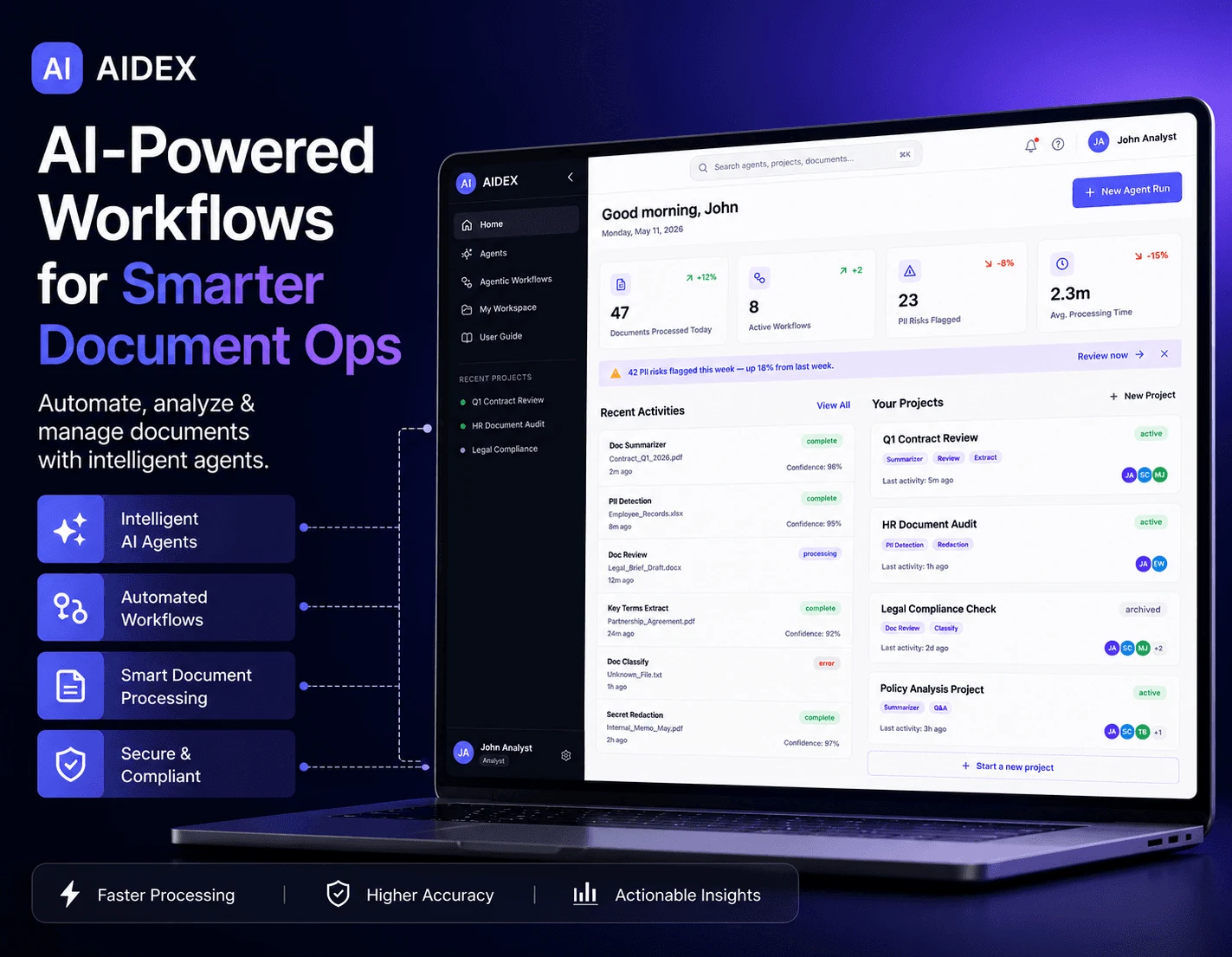
Teams inherit piles of hundreds of files, then have to answer important questions using nothing but keyword search and memory. Regular AI made this worse, not better — it sounds confident, but you can't verify it exactly when it matters most. AIDEX flips that trade: it's fine being a little slower, as long as every answer can be checked.
The app never just says "it's in one of the documents." It points to the exact sentence — click it, and you jump straight to the highlighted line, in under a second.
Almost everyone builds a messy spreadsheet by hand just to understand what they're working with. AIDEX builds that map for you automatically, before it answers a single question.
FOUND IN RESEARCH · 11 OF 12 PEOPLE DID THIS
Before anything gets exported, a built-in checker double-checks every answer seven different ways. If the proof doesn't hold up, it blocks the export and explains how to fix it. Not a warning you can ignore — an actual stop.
Built using the same 6-step process the finished app runs on internally
Map, Sessions, Artifacts, Memory — four screens that walk you through the same 6-step process without ever naming it. The one rule that makes all of it work: every answer breaks down into small claims, and every claim points to its exact source. That's what makes one-click checking possible.
Before anything else, you see how healthy the whole pile is: what read cleanly, what failed with a suggested fix, and every document ranked by how risky it would be if it turned out wrong. This one screen replaces the spreadsheet everyone builds by hand.
You see the health report before anything else — honesty first
Documents are ranked by risk, matching how people actually read under pressure
Conflicting versions get flagged as a suggested next question
Ask a question in plain language. Get back a claim — with the exact quote it came from, how confident it really is, what got checked, and what didn't. Click the quote and you're looking at the highlighted source in under a second.
Every answer includes all six parts, always — nothing gets to skip the honesty check
Confidence is described in words, never a fake-precise percentage
Even "I don't know" follows the same clear format — failure was designed too, not just success
Answers you approved get assembled into one document. Before it can be exported, a built-in checker runs seven checks on every single claim. If a claim isn't actually backed up, the export gets blocked — with the easiest fix suggested.
Seven separate checks, not just one quick glance
The honest way out: ship a smaller, true version of the claim — never an unproven one
Every export includes proof of exactly where it came from, readable years later
Corrections stick around as visible rules — you can see who taught them and delete them anytime. Whenever an answer uses one, it says so out loud: "using Maya's Mar 12 correction." Nothing changes behind your back.
Every correction gets proposed, confirmed by a person, then applied with an announcement — and rechecked automatically after 90 days
Every entry shows who taught it and how many times it's been used
Teach it something and it immediately suggests testing it in Sessions — no dead ends after a correction
Deleting something removes it completely, right away
Early-stage concept. Product impact remains expected or unproven; the research, process, and validation plan are distinguished below.
AIDEX is still an early-stage concept. So instead of showing off a cherry-picked number, here's the actual plan for measuring it — including exactly what result would prove each claim wrong. One claim below is already proven. It's listed first, on purpose.
planning documents in the public project folder, each one checked
decisions logged — including the option that got turned down each time
claims tracked, each one labeled honestly
faster than the usual way this gets built — without cutting corners
Every claim below is labeled — and every guess says exactly what would prove it wrong Claim Label How it's checked / what would prove it wrong This page was made using the exact process it describes. Verified Go look for yourself: the public project folder has 76 checked documents, a 16-entry decision log, and 15 tracked claims. See claim C7. AIDEX cuts the time to understand a document pile from days to one sitting. Expected, not tested yet Will be tested with real pilot teams on their own documents. Proven wrong if people still build their own spreadsheet anyway because it's faster. Being able to check answers actually stops people from re-checking everything by hand. Expected, not tested yet Will be measured directly with real usage. Proven wrong if people still redo important answers by hand anyway. People accept a blocked answer instead of just going around it. Best guess, unproven Target: at least 7 in 10 people accept it, in real testing. Proven wrong if most people give up and go around it instead — then this whole approach gets revised. Honestly labeling claims (like this page does) makes people trust early-stage work more. Best guess, unproven Will be tested by comparing a labeled version against an unlabeled one. Proven wrong if the labeled version actually scores lower. This page is the labeled version.
Checked before building
Including the rejected alternative
Each labelled honestly
Ask a question about the sample vendor documents, trace the supporting source, and follow the answer through review and export. The working session is saved locally on your device.
LET’S TALK
I'm open to Senior Product Design roles in Dubai — AI platforms, enterprise products, and agentic experiences.